
Welcome to the help section
Payment Inquiry
Click on the Heading to Proceed to the Section
Invoice/ Payment Inquiry:
In the Payment Inquiry, the user has the ability to check invoice status.
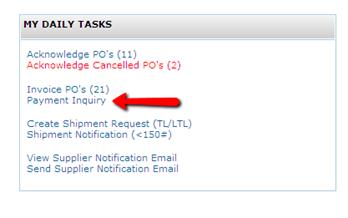
From the home screen select Payment Inquiry under My Daily Tasks.
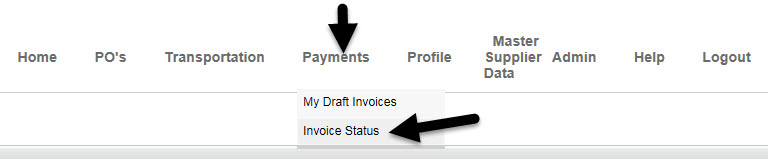
OR navigate to Payments from the Top Link bar and select Invoice Status.
All pending and paid invoices will be listed on the Payment Inquiry. User can search for invoices by a specific invoice number or an invoice date range and selecting Find Payments.
User can view the status of the individual invoices on the far right side of the screen and other information pertaining to the invoice.
* Any blue column heading is sortable by ascending or descending order.
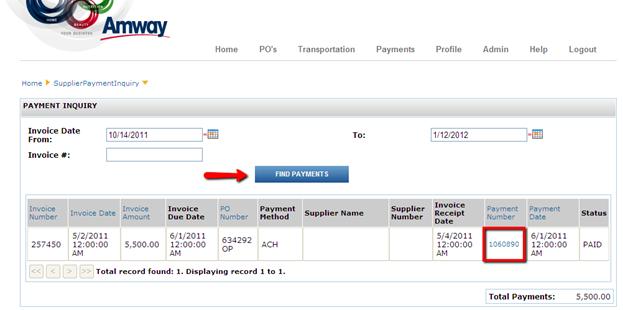
To view more details regarding the invoice, select the payment number link.
In the Payment Details, all information regarding the payments on this invoice will be displayed
The payment method can vary from ACH, Wire Transfer, or Check.
The Payment Amount is the total of all payments displayed.
Submitted Invoices:
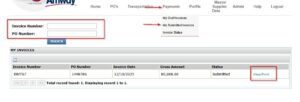
You can now view your already submitted invoices in the Portal. This recently added feature allows you to search by invoice number or PO number to view invoices you have submitted.
By selecting the Payments link and choosing ‘My Submitted Invoices’ It will display submitted invoices.
Click on the view/print option to allow you see the invoice information that was entered and also give you the option to print the details.
Invoice Status Reference
| Invoice Received | Invoice Received by AP |
| Ready for Payment | Approved for processing per pay terms |
| Document Paid | Payment Issued |
| Returned to Vendor | Miscellaneous issues, contact buyer |
| Document Removed | Invoice removed due to duplication, etc. |
Please contact AP Support @ email: P2P.Support.US@amway.com with questions on an invoice